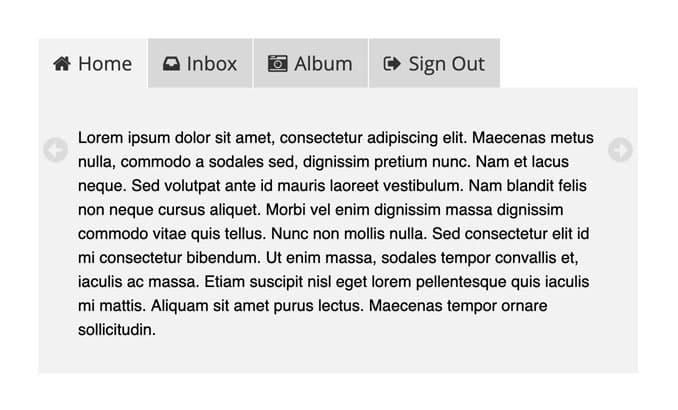




Coda-Slider 1.1

It’s been about six weeks since I introduced a neat little jQuery plugin called Coda-Slider. It was well received, and I was delighted to see people incorporating it into their own projects in creative ways.

However, the original Coda-Slider had some bugs and lacked some features. After numerous requests, I’ve finally found time to make some improvements, and today I’m releasing Coda-Slider 1.1. Please check out the demo, and be sure to read the rest of this post for more info and details on customization.

Improvements

  • jQuery 1.2: The original Coda-Slider used jQuery 1.1, but this version uses the latest and greatest jQuery library. By extension, I also upgraded the jQuery easing plugin, and added the easing compatibility (Thanks to everyone who e-mailed me with that suggestion).
  • Fixed IE bug: A few people noticed that clicking quickly on a tab in Internet Explorer (6 or 7) broke the slider. Upgrading to jQuery 1.2 seemed to fix that problem.
  • Better accessibility: I’ve added a <noscript> tag so users with JavaScript disabled will know they’re missing out. Also, even without JavaScript enabled, all content housed within the slider is now accessible via a scrollable panel.
  • YouTube videos: Someone (sorry, I forget who exactly) reported problems with YouTube videos embedded in the slider. Apparently their video showed up outside the viewing area when sliding. Details on the solution below.
  • Better preloader: You may not even notice it with a fast connection, but trust me when I say that the loading graphic looks much better now. If you require a different animated gif for the loading graphic, I recommend Ajaxload.
  • Cross-Linking: This was easily the most requested addition to Coda-Slider, so I hope you’ll find it useful. More info on the cross-linking below.
  • Fully cross-browser compatible: Coda-Slider 1.1 has been tested successfully on IE6, IE7, FF2, Safari 2.0.4, Safari 3 and Opera 9. If anyone can test on additional browsers please let me know.

Constants

  • Valid XHTML 1.0 Strict.
  • Valid CSS.
  • Circular navigation.
  • Small file size: All the JavaScript and CSS compacted amounts to less than 36kb.

Shortcomings

  • Safari 2.0.4 support: Coda-Slider 1.1, like it’s predecessor, doesn’t work in Safari 2.0.4. Unfortunately, I wasn’t able to troubleshoot this issue fully without a Mac of my own. However, if it’s any consolation, Safari 2.0.4 is only used by 1.99% of web surfers (source), and that number looks set to decline now that Safari 3 is out of beta. Nevermind. Thanks to everyone who emailed to tell me Coda-Slider 1.1 works fine on that version of Safari.
  • Multiple sliders vs. cross-linking: While you can still have more than one slider on the same page, doing so hinders the cross-linking somewhat. In a nutshell, your cross-links will end up affecting each slider on the page, which is hardly ideal. My advice would be to choose between one or the other; either have multiple sliders and no cross-linking, or keep the cross-linking and forget about multiple sliders on one page.
  • No back button support: Clicking the back button will bring users back to the previous page, not to the previous tab.

Instructions and How-To’s

CROSS-LINKING

The original Coda-Slider only allowed you to navigate between panels using the tabs and arrows. With Coda-Slider 1.1, you can also use links anywhere on the page to control the slider. All you need to do is structure your links like so…


<a href="#1" class="cross-link">Click here for the first panel!</a>

That link would move the slider to the first panel. If you wanted the link to bring you to, say, the fifth panel, you’d use a link like this…


<a href="#5" class="cross-link">Click here for the fifth panel!</a>

But that’s not all the functionality of cross-linking. Coda-Slider 1.1 also allows you to link to specific tabs from external pages. For example, this link will take you directly to the fourth tab in the demo.

Navigating through the slider via the tabs or arrows also changes the URL hash (#), so users can bookmark specific panels easily. To link to a specific panel from an external page, just use the full URL with the correct hash, like so…


<a href="http://www.yoursite.com/slider.html#3">Click here for the third panel!</a>

I would have preferred to use more meaningful names for the hashes (such as #products, #contact-us, etc.) but it seemed like an awful lot of extra code for such a small detail. Also, I’m pretty sure that Google don’t index hashes, so giving them meaningful names wouldn’t do anything for your SEO.

YOUTUBE VIDEOS

This was a little tricky to get right.

First of all, if you don’t care about your code validating, just go ahead and embed your YouTube videos using the embed code provided for each video at youtube.com. Your page won’t validate as compliant XHTML, but your video will behave within the slider, only showing within the appropriate panel.

I’m a sucker for validation though, so that wasn’t good enough for me. Off I went and tried out a few different methods for embedding YouTube videos as valid XHTML. While all the methods gave me valid code, they also caused the embedded video to show up outside the view port in the slider. Not good. Eventually I found a solution in the comments of this blog post by Bernie Zimmermann.

The code you should use to embed YouTube videos in Coda-Slider is as follows…


<object type="application/x-shockwave-flash" style="width:425px; height:350px;" data="http://www.youtube.com/v/OzGcRXXqPyg">
<param name="movie" value="http://www.youtube.com/v/OzGcRXXqPyg" />
<param name="wmode" value="transparent" />
</object>

NO ARROWS

Some people asked me how to get rid of the left and right arrows, leaving just the tabs for navigation. In Coda-Slider 1.1, the least you need to remove are lines 58 and 59 in coda-slider.1.1.js


jQuery(this).before("<div class='stripNavL' id='stripNavL" + j + "'><a href='#'>Left</a></div>");
jQuery(this).after("<div class='stripNavR' id='stripNavR" + j + "'><a href='#'>Right</a></div>");

Taking out those two lines will remove the arrows and make any other code associated with them redundant. There’s plenty more arrow-specific JavaScript and CSS in Coda-Slider, but I’ll leave that for you to find and remove if you want to cut down the file size. Everything is commented pretty well, so the hunt should be quite easy.

NO TABS

If you just want to have the arrows and cross-linking for navigation, the minimum you need to remove are lines 62 to 65 (inclusive) in coda-slider.1.1.js


jQuery(this).before("<div class='stripNav' id='stripNav" + j + "'><ul></ul></div>");
jQuery(this).find("div.panel").each(function(n) {
	jQuery("div#stripNav" + j + " ul").append("<li><a href='#" + (n+1) + "'>" + jQuery(this).attr("title") + "</a></li>");
});

Again, there is more code in there that becomes unnecessary with the arrows removed, but I’ll let you hunt for that yourself.

Update: Be warned that removing the tabs like this kills the same-page cross-linking controls. If you want to keep full cross-linking without the tabs, the easiest way right now is to just hide the tabs via CSS, like so


.stripNav { display: none }

Not ideal, but it’s the best I can suggest for now. I’ll try incorporate a better solution into any future release of Coda-Slider.

TABS BELOW THE CONTENT

Several people contacted me asking how to make the tabs display below the content. It’s actually quite easy, requiring just two small changes in the JavaScript.

First, change “before” to “after” on line 62 of coda-slider.1.1.js


jQuery(this).after("<div class='stripNav' id='stripNav" + j + "'><ul></ul></div>");

Then, change “next” to “prev” on line 76 of the same file…


jQuery(this).parent().parent().parent().prev().find("div.panelContainer").animate({ left: cnt}, settings.easeTime, settings.easeFunc);

And you’re done.

CHANGE WIDTH

To increase or decrease the width of the slider, there’s just a couple of changes you need to make in the CSS.

First, change the width of .stripViewer from the default 700px to your preferred width. A few lines below that in the CSS, enter the same value for the width of .stripViewer .panelContainer .panel (also 700px by default).

Those two changes should alter the width of your slider. Depending on what values you choose, you may experience some difficulties repositioning the arrows. You can try two things here:

  1. Play around with the width and margin attributes for .slider-wrap in the CSS.
  2. Alter the values for the left and right attributes (both 0 by default) for .stripNavL and .stripNavR respectively in the CSS. Remember that you can use minus values (e.g. left: -20px).


CHANGE HEIGHT

Two changes required in the CSS to alter the height of the slider. They are as follows:

  1. Change the height attribue of .stripViewer to your preferred value.
  2. Change the height attribute of .csw to the same value. This is for the preloader, and also controls the height of the scrolling view port that is seen when JavaScript is disabled. You may also want to experiment with the values for margin in .csw .loading to ensure none of the content can be seen while preloading.

I’ll add any additional how-to’s here as they’re requested.

Inspiration and Credits

Coda-Slider was inspired by the promo site for Panic’s nifty one-window web development software.

Many thanks go out to Gian Carlo Mingati, whose jQuery image slider was used as the starting point for Coda-Slider. If you’re looking for the same type of effect for an image gallery, his slideViewer would better suit your needs.

Coda-Slider is of course dependent on the excellent jQuery JavaScript library. jQuery makes this kind of stuff so much easier to build, and it’s easy to learn, especially if you’re at all familiar with CSS (targeting is pretty similar in jQuery). Try it for a few days and you’ll have taken your web development skills to the next level.

Showcase

Several people have sent me links to their own implementations of Coda-Slider, and I’ve loved them all so far. I’d like to get a showcase together eventually, maybe a blog post here with screenshots and links. So, please keep them coming. You can contact me via this page.

Donations

A few people have expressed interest in making a donation. Donations are not expected, but definitely appreciated. Use the button below to donate via PayPal.


122 Responses to “Coda-Slider 1.1”

  1. Niall Doherty » Blog » Blog Archive » Introducing Coda-Slider Says:

    […] (Oct. 29th, 2007): I’ve just released a new version of Coda-Slider. Check out the details here. The original version referred to in this post remains available for […]

  2. CodaSlider 1.1 Released » By Don Albrecht » article » Ajax Bestiary Says:

    […] http://www.ndoherty.com/blog/2007/10/29/coda-slider-11/  […]

  3. Riddle Says:

    Hey man, great piece of code, but you can save great amount of miliseconds by chaining:

    jQuery(this).before().after().parent().something().end().next()

    jQuery(this) executed 10 times can slow down your script comparing to using transformed element once.

  4. Gero Says:

    Niall,
    thanks for the code. I thought I should let you know that I’m not having any problems with Safari 2.0.4 on Mac OS with CodaSlider 1.1.
    With 1.0, the slide animation got stuck at the very beginning. 1.1 works just fine.

  5. Frankie Says:

    I did your slider plug-in. I downloaded the 1.0 release and added another option to the script called “wrappingNav” that when set to false will prevent the slider from looping the nav. The way I wrote it wasn’t too pretty but it would be a nice feature for you to include in your next release.

    Thanks for the great work and clean code.

  6. Niall Doherty Says:

    Thanks to everyone for the comments. I’ve just made a few updates to the blog post, such as how-to remove the tabs and how to change the height and width of the slider. I also added that Coda-Slider 1.1 works in Safari 2.0.4. Thanks to everyone who tested that for me.

    @ Riddle and Frankie: I’ve noticed quite a few places where the code could be trimmed and where easier customization options could be added. I’ll probably make minor tweaks in the coming weeks.

  7. Jesse Says:

    Hi. I deleted the code for the tabs and re-uploaded the coda-slider.1.1.js file but the tabs are still there? What gives? Also, they appear in an “L” shape. I would really like to use your cool slider on my page.

    You can check out the problem I’m having here:

    http://jessecathcart.smugmug.com/gallery/3745740

  8. Jesse Says:

    Oh yeah. If it looks like it is working it is because I had to hide the tabs by using css to hide the div that contains the tabs. Also, I think a cool feature for your next version would be to allow vertical sliding as well. If vertical and horizontal sliding could be used at the same time it would make for a really interesting way to view pages, especially if you could randomize the transitions. Just a thought…

  9. Tom Says:

    This is great! I can’t wait to use it.

    One problem though, and that is I can’t remove the tabs or arrows using the instructions above. I have followed your instructions carefully, removing the proper code. I’m barely css-literate, so I have no idea how to implement such a workaround as Jesse mentions. Niall, can you provide some more detailed guidance on this? Thanks!

  10. Niall Doherty Says:

    Yeah, sorry guys. I’ve had a few reports of problems removing the tabs and/or arrows. I’ll check it again soon and post a better solution.

  11. Tom Says:

    Thanks Niall! I think I speak for lots of folks when I say we all sincerely appreciate your great work. This is really terrific, and I can’t wait to implement it. Hope the tab/arrow thing won’t be much trouble for you.

  12. Tom Says:

    I solved the problem of suppressing tabs and arrows within dreamweaver at least. Anybody that is using DW can do the following:

    If you go to the CSS styles tab and find the following styles, there is an option for DISPLAY to be set to (none). That did the trick.

    .stripNav a [set display to NONE to suppress tabs]

    .stripNavL [set display to NONE to suppress left arrow]

    .stripNavR [set display to NONE to suppress right arrow]

  13. Niall Doherty Says:

    Right, I think I have an answer for those of you having trouble removing the tabs or arrows. You SHOULD NOT have to alter the CSS to get rid of the arrows. Tom’s suggestion above is clever, but that just hides the tabs and arrows from view; it doesn’t actually stop them from being loaded.

    I think the problem a lot of you are having with my instructions is that you are editing the file coda-slider.1.1.js, but by default it’s the compacted version of this file (i.e. coda-slider.1.1.pack.js) that’s being loaded and used by Coda-Slider.

    If you make any changes to the JavaScript, ensure that the file you edit is being called in the head of index.html

    I apologise that I didn’t make this obvious in the instructions. Let me know if this helps.

  14. Sara Says:

    Hello Niall!
    I used your coda-slider 1.0 to built my new site, and now I update to this new version 1.1.
    It’s really great that you did such a widget!

    My site it’s now finished, you can add it to your showcase of coda-slider sites:
    http://www.multiductus.it/

    Let me know what you think of it (I used your logo as a link to your site, I hope it’s ok).

  15. Niall Doherty Says:

    Wow, Sara. That’s fantastic, really. Excellent job on the design, and you’re welcome to use my logo. It looks good there ;)

    If anyone else has an implementation of Coda-Slider they would like to share, please let me know. I’ll be sure to get a showcase together when I’ve collected enough.

  16. Sara Says:

    Thank you, I’m glad you like my design :)

  17. Randy Says:

    Hi Niall — Thanks so much for this fantastic plugin. Two FYI’s and one Question:

    FYI#1: I’m having some trouble though. I tried to remove the tabs and arrows to use only the cross-links. I removed the lines AND changed the links to the unpacked versions. However, the cross-links don’t work after lines 62-65 are removed. So I ended up with the display:none option.

    FYI#2: Also after resizing the slider to 464 x 400, in Safari 2.0.4, I get scroll bars even though they’re not needed (do nothing). The only way I could get rid of this was to set .csw to overflow:hidden. This kills the non-java scrolling (not a big deal for me).

    QUESTION: Finally, your demo on pre-safari 2.0.4 (pre-OSX Tiger) machines degrades like the non-javascript version, except that it shows the loader as the first panel. Is it possible to remove that so it degrades to panel #1 also?

    Thanks for your hard work! — Randy (http://www.aquatoad.com/new/)

  18. Tom Says:

    Sara,

    That is a great implementation. Nice work! And your site is terrific. I now have it bookmarked.

  19. Jesse C Says:

    Hi. I’m having trouble embedding flash into the slider. The flash shows up outside of where it should. It’s strange that it works for u tube and not for this code

  20. Jesse C Says:

    Also. Your suggestion as to why the tabs are still showing will not fix my problem. I removed the generate tab lines in the unpacked version of the .js file and then re-uploaded this and changed the URl in the header scripts to call this updated version of the coda-slider.1.1.js file. The tabs still show up and they show up in an “L” shape instead of a straight line. Could This be some type of script conflict? Thanks for this by the way. You can check out my work in progress here:

    http://www.jessecathcart.com/gallery/3745740

  21. Randy Says:

    Jesse:

    Your layout is showing the same issues I described above with scrollbars in Safari 2.0.4 on resize even though they are not needed. Original size seems to be the only size without them ( ? ). See my workaround above (it kills scrolling for non-javascript though).

    To fix the tab/arrow probs, try the “display:none” on the nav items in the css. I know this is not ideal, but I couldn’t get cross-linking to work without the js going through the process of creating them.

  22. paul Says:

    Hi Niall,

    first off thanks for putting this script together.

    i have a question about compatibility with safari 1.3.2 for mac - i believe this is the most up to date version for mac OS X 10.3.9 (panther). anyway, i notice that this script doesn’t really work with that particular version of safari. rather than rendering the panels so that they slide from side to side, it only shows a panel with a scrollbar, such that you can only scroll down panels 1-5 in your example….no sliding action at all.

    i’m wondering if you’ve experienced this…i’m sure this problem is fixed in later versions of safari, but if you have any ideas what that compatibility issue might be, and if a bit of code can be added or changed to get this script to work in safari 1.3.2.

    anyway, thanks again…fantastic script.

  23. Randy Says:

    Went hunting for another solution that will work in Pre-Tiger OSX and came across Spry at Adobe Labs. You can see the example working here:

    http://labs.adobe.com/technologies/spry/samples/slidingpanels/SlidingPanels_unobtrusive.html#

    As well as other example the flow vertically, flow in a grid pattern etc.

    Similar effect, but I haven’t tried to implement it. Seems pretty workable for the HTML/CSS/ crowd with no javascript skills (that’d be me).

  24. Null Says:

    Hi,

    How to make it so that using the backbutton will go to the previous tab? And when at tabstart, pressing backbutton will go to the previous page?

    Thx

    _Null

  25. Greg Says:

    I think this is a great start, but I think it’s a bit misleading to call it “coda-slider” as the current implementation will not allow someone to replicate the look of the slider on coda’s site with altering the plugins javascript.

    I’m not a fan of the fact that you’re hard-coding a considerable amount of html into the plugin at all. It makes customization a pain. I understand that people develop these plugins for themselves and then release them, but if you’re going to release it please take the time to do it right.

    The right and left arrows should not be drawn with js. The tabs definitely shouldn’t be drawn with js.

    In my opinion, this plugin shouldn’t handle any differently than http://stilbuero.de/jquery/tabs/ in the way you handle the content and tabs. I love the fact that you have developed this plugin, but I think some steps in the right direction need to taken in order for it to really stand out.

  26. Greg Says:

    Rather than simply complain about the way I would like it to work I figured I would submit at least one recommendation:

    I would like to recommend that you change line 64 coda-slider.1.1.js of to this:

    jQuery(”div#stripNav” + j + ” ul”).append(”” + jQuery(this).attr(”title”) + “”);

    This gives each navigation tab a unique class i.e. tabNav1, tabNav2, etc. This will at the very least allow you to style each tab independantly (such as adding tab images).

  27. Greg Says:

    The link parsing is messing up my post. I’ll give it one more try:

    The above code should read: jQuery("div#stripNav" + j + " ul").append("” + jQuery(this).attr(”title”) + “”);

  28. Greg Says:

    Forget it. Shoot me an email and I’ll send you the code mate.

  29. Sara Says:

    Tom,
    thank you for your praise! It’ always appreciated :)

  30. Renato Dias Says:

    Niall, firts Congratulations!!! Realy great work !!!

    I want remove the Left and Right arrows and Tabs, i want only a cross-link controls.

    So, when i remove lines 58 and 59 (Create the Left and Right arrows) thats ok, the left and rigth arrow Disappears of index page.

    When i remove lines 62 to 65, the Tabs desappears to, but the (cross-link controls) don´t work! :(

    What I did wrong ???

    Tnks. sorry my bad English.

  31. Niall Doherty Says:

    Hey everyone,

    Thanks for all the comments and feedback, sorry I’ve been out of the loop the past few days. I should have some time to look through all your comments later today and I’ll reply to as many as I can.

  32. Niall Doherty Says:

    I went back and took a look at the cross-linking without tabs and saw exactly what everyone was talking about. Sorry I didn’t spot that myself initially. I tried to write some code to get the cross-linking working without tabs but it was getting very messy. For now, I’d recommend simply hiding the .slideNav div via CSS (i.e. display: none) like Tom suggested above. I’ve updated the how-to above to note this also.

    @Randy: Thanks for the info. I have no way of testing on any kind of Mac right now (sucks, I know), so I can’t give any accurate suggestions there. If anyone can find a solution, please post here or email me.

    @Jesse C: Regarding non-YouTube Flash, have a look at ways to embed your SWF using valid XHTML. You may need to play around with CSS z-index also. Apologies, but I don’t have time to try this myself. Also, regarding the L-shaped tabs, check line 41 of coda-slider.1.1.js. The number there corresponds to the margin-right of .stripNav ul li set in the CSS.

    @paul: I can’t test this myself, and therefore can’t fix it. Sorry. Hopefully another commenter can give some advice.

    @Null: I was hoping to get back button support into this version, but I ditched the idea in the end. It is possible though, with a bit more work. The jQuery history plugin could help achieve this: http://www.mikage.to/jquery/jquery_history.html

    @Greg: Points well taken, especially regarding the unique classes for each tab. I was also in agreement with you when you said the tabs and arrows should not be drawn by JS. Having thought more about it however, I don’t think that’s necessarily true. The tabs and arrows are of no use without JavaScript, so what would be the point of including them in the HTML? Creating them via JS means they are only presented to the user when they serve a purpose.

    You’re right though that this script is not very easy to customize for those unfamiliar with CSS and/or JavaScript, but I hope to improve that in future versions. It’s a learning curve for me, too.

    @Renato: I hope my advice above helps you.

    Some of you may also be interested in this jQuery plugin, which has some cool up/down and left/right sliding. Check it out: http://jquery.com/plugins/project/LocalScroll

  33. Yunus Says:

    Hi!
    I have made the page with two coda-sliders (div#slider1 and div#slider2). Everything is workimg fine. But i use cross-linking for navigate the both of my two sliders. The cross-links of slider2 make the both sliders move to the panels with the same number (#number). At the same time the tabs of slider2 are working fine, as a tabs and cross-links of the slider1.

  34. Niall Doherty Says:

    Hi Yunus,

    Read the second point in Shortcomings in the blog post above.

  35. Yunus Says:

    Oh, sorry… I hade to read it more carefuly. Thanks :)

  36. paul Says:

    Thanks Niall,

    Randy posted something that looks like it might work. i’m also fiddling around with your code to see if i can figure out a fix for safari 1.3.2 - if i do figure it out, i’ll send you the code so you can use it in a future version.

    thanks again

  37. Fernanda Says:

    Thanks Niall

    I have some dificults. How I change the direction to bottom to top?

    tks!!

  38. Niall Doherty Says:

    @Fernanda: If you mean how do you switch the tabs from above the slider to below, check the how-to in the blog post above.

    However, if you mean you want your content to slide up/down instead of left/right, I’m afraid that’s not possible without heavy modifications to the code. Try LocalScroll instead, it might suit your needs better…

    http://jquery.com/plugins/project/LocalScroll

  39. Jean-Philippe Sirois Says:

    Hi, I would like to thank you for this awesome jquery plugin. I’m using it in some website i develop but one little detail should be pretty amazing.

    Do you think is it possible to add an AJAX option. Let me explain. when you click next the content slide from right to left and the new panel appear but if I’ve about 50 panel it will be very long to load the website at the opening so I think It would be really nice if the content of each panel can be loaded only on show. Like on start you load the first the second and the last to be able to naviguate quickly trought the slider but when you click to see the second the third panel load in ajax in the background.

    If someone have an idea of how that would be possible to realise it that would be pretty useful and amazing for me.

    Thanks again for this outstanding jquery plugin.

    (Sorry for my bad english)

  40. Fernanda Says:

    I mean to do the slide down/up. I will try the LocalScroll.
    Tks for help!!

  41. Renato Dias Says:

    heloo Partners, girls…..

    So, im not sleepy since I saw/found this code,
    after some weeaks, i finish, what I believe to be, the first pré-integration of Coda-Slider with a CMS system, and more totally Valid XHTML 1.0 Strict!

    This CMS code is for Real-state, but he is to much flexible for web developers.

    We have a admin area to upload new products, etc, etc,etc, ……

    The codar-slider, is not totality integrate if this CMS, is not dinamic, ucan set a links manuality, but is a fist step.

    Codar-slider + greybox + open realty sistem !!!

    Check This Out !!!
    http://www.laparadise.com.br/site

    When i get some time, i do a DEMO PAGE of my work, for free download, so wait ok.

    @Renato: I hope my advice above helps you.
    This not help me, i get a Great Bug in Firefox!!!

    We wait a new releases of this code, and we dont sleepy Until then !!!
    (jjajajcofcofjaja)

    {Soryy my English Bugs}

    Renato Dias
    www.ocahost.com.br

    O.R
    http://www.open-realty.org/

    Greybox
    http://orangoo.com/labs/GreyBox/

  42. Niall Doherty Says:

    @Jean-Philippe: I was actually looking into some jQuery Ajax stuff today. The first couple of functions in “Ajax Requests” here look good for what you want to do:

    http://docs.jquery.com/Ajax

    @Renato: I don’t really understand what you’re saying, and I didn’t find anything like Coda-Slider at that first link. It’s also very slow to load.

  43. Jason Madigan Says:

    @Renato,

    This is the greatest thing I have ever seen in my entire life.

  44. Renato Dias Says:

    @Niall

    I agree, some parts are confused and some parts i wrote Wrong, sorry, but i was happy of my project.

    “I didn’t find anything like Coda-Slider at that first link.”
    So, i integrate your code if a “Content Management System” and you don’t like? Why ?

    “It’s also very slow to load.”
    Yes, you know, codar-slide have problem to load a bigger pages.

    May i make 2 suggestions?

    - The code only need a cross-link mode, Panel link in my opinion, is not necessary, is not (flexible), we can do a “panel link”(mode), using a “cross-link” tag+xhtml, easy.
    - It would be interesting solve the problem with the load of large/bigger pages.

    @Jason Madigan

    Realy !!! ;) Tnks dude.

    Im inspired in a Gucci website, to do this one for my customer.
    - Now, i´m work in a code “fish eyes” (do you know?) , I want integrate in the thumb images product.
    - Fly to bastket code, to integrate order products.
    - Loupe ajax image, to integrate in a page of product details.
    For this codes check this link www.miniajax.com

    Give me some time to make a demo page and souce download ok.

    O.R system is a fantastic code, is a camaleon code for me, if him i do everything.

    []´s Renato Dias

  45. Max B. Says:

    Excellent and beautiful script. I would, however, like to change the background color of one of the tabs while keeping the others uniformly colored. Is there a way to do this? For example, I have a payment tab that I would like to stand out from the others.

    Thanks!

  46. Larry Backstrom Says:

    I’ve been using the Dynarch RollBar/Tabs http://www.dynarch.com/products/dhtml-tabs for my new website. I’m going to try to convert to this script as it should reduce my code size since I’m already using jquery for thickbox.

    Anyone else convert from Dynarch RollBar to this script? Any problems or short comings?

    Thanks,
    Larry

  47. chris Says:

    hi,
    great work!

    However, you mention that the safari bug is fixed but i still see that bug when loading your example page (http://www.ndoherty.com/demos/coda-slider/1.1/) on Safari 3 w/ OSX10.4.10…

  48. Randy Says:

    I mentioned the Spry Sliding Panels in a post up the list, but having now implemented both, wanted to give it’s pros and cons relative to this nice slider.

    Spry Sliding Panels
    Pros:
    1. Works in all versions of Safari
    2. More panel layout options (up-down, left-right, grid)
    3. Cross-linking only (no tabs to get rid of)

    Cons:
    1. The animation is missing the extra easing sweetness
    2. No hash linking/bookmarking
    3. No panel loading image
    4. Animation not as smooth as this slider
    5. Javascript-off is ugly, compared to this slider

    I was able to swipe the jquery easing and make it work in Spry, and add linking/bookmarking. So I went with Spry in the end, because its for a design portfolio with a higher percentage of macs viewing. You can find my hackage in the Spry forums.

    Naill, feel free to kill this since I know I might be sending people away from your solution. I really appreciate you effort on this and wouldn’t have reached an acceptable solution without your efforts!

    Cheers,
    Randy

  49. links for 2007-11-25 Says:

    […] Niall Doherty » Blog » Blog Archive » Coda-Slider 1.1 (tags: coda jquery slider) […]

  50. buffy Says:

    great. really nice and clean

    thanks again

  51. Dhaval Trivedi Says:

    Hi Dudes,

    I’ve implemented the slider created by Niall in one of my works. I’ve changed it a bit, implementing the following:

    1) Each of the tabs have different styles, generated through their IDs. I remember somebody posting this earlier.
    2) The navigation uses tab names instead of the numbers (looks good but harder to achieve). And probably the back button works in IE6/7 and FF 2.0+…

    You can see the demo at:
    http://www.advancewith.us/TripleAceVideo/

    Cheers! And hats off to Niall! Without him none of this was possible. Life is much easier.
    Dhaval

  52. Paul Says:

    Hi Dhaval,

    Just wanted to give you a heads up…doesn’t look like your site is compatible with Safari 2.0.4+ on OS X 10.4.10 (your pages don’t slide, and when you click the contact form tab, only the form boxes slide over, on top of your home page, which doesn’t change) - however, it seems to be fine in the latest versions of Firefox and Opera.

  53. Dhaval Trivedi Says:

    Hi Paul,

    Thanks for letting me know… I thought there would be issues with IE6/Safari 2. I’m gonna solve ‘em once I’m done with basic work in the site…

    Regards,
    Dhaval

  54. Niall Doherty Says:

    Thanks for all the comments, everyone. Sorry I haven’t had time to give you individual replies. Focusing on some other projects for a while now.

  55. Jonathan Miller Says:

    What would be a nice feature is a play/pause function that will allow the slider to move to the next slide automatically after a specified amount of time in a continuous loop, until someone hits the pause button.

  56. Paul Says:

    Hey Jonathan,

    you might check out mootools (another javascript library)..you might be able to add the kind of function you want with something like this:

    http://demos.mootools.net/Ajax_Timed

    or this:

    http://demos.mootools.net/Chain

    i haven’t attempted to integrate these into coda-slider, but i imagine i can be done. if anyone else has experience with this feel free to chime in.

  57. Jonathan Miller Says:

    Hey Paul,

    I’m very new to using Javascript frameworks like jquery and mootools, so forgive me if this sounds noobish, but can you use both frameworks together?

  58. Paul Says:

    Jonathan,

    we all have to start somewhere…and i’m by no means an expert.

    anyway, I don’t see why you couldn’t use both frameworks together. you just need to call up the proper JS file in your html document - for example:

    in the above example i’m calling the jquery file and another JS file, and using them both on the same page without any problems.

    for what you’re trying to do, i think you’d want to work with this example: http://demos.mootools.net/Chain - since it has a timed function. again, i’m no expert, so there may be other (better) ways of doing what you want to do…

    i was just throwing mootools out there as one possibility

  59. Paul Says:

    whoops, looks like my code got erased….

    let’s try one more time (this may not work):

    here was the example i was trying to post - i’m calling two external javascript files in the same html document:

  60. Paul Says:

    oh well…

    looks like we can’t post code here…(or at least i don’t know how).

    anyway, hope that helped a bit..

  61. Niall Doherty Says:

    Thanks for the effort, Paul. I must get round to allowing for code in the comments.

    Jonathan, I’ve used jQuery and Prototype together before, and I presume you can mix jQuery with mootools also. See the link below for more info…

    http://docs.jquery.com/Using_jQuery_with_Other_Libraries

  62. Niall Doherty Says:

    Just posted a quick update to Coda-Slider, so now you have specific classes for each tab. Thanks to everyone who made the suggestion. See the relevant blog post here:

    http://www.ndoherty.com/blog/2007/11/28/a-quick-update-to-coda-slider-unique-classes-for-navigation-tabs/

  63. Hansolo Says:

    Hello,

    a realy good slider!
    I want 2 use it on my site and i must configure this a little. Can someone tell me please how i can take the tab-menu away? If i taste it in the css my browsergoes 1000px 2 right and in the *.js is also bad.
    need help please

  64. Larry Backstrom Says:

    I downloaded Coda-Slider a few days ago in an effort to replace my current script (Dynarch RollBar). Here are a couple of things I did to the Coda-Slider script to have most of the same functionality as RollBar. In the .js file it is fetching the width from the class “stripViewer”. I changed the class/style name to match the div id name. This works great for multiple sliders on a page and sliders insider of other sliders. Just need to define a style for each slider. I didn’t use the loading section, but on page load, you can seeing the divs’ load up before the class is applied as a long vertical column on the page. In the html, I added “style=visibility:hidden” and as soon as the class is applied in the .js file, I turn visibility back one (nice and clean now). I wanted to have some of the tabs used as a button for to redirect to another page, like an onclick. In the div were the title attribute is defined I added to it an optional redirect after a delimiter. In the .js file, I look to see if the redirect is present and if the tab href should an actual redirect link. I added rounded corner images for the tabs and now coda-slider has fully replaced rollbar reducing my javascript by another 8K. Using jQuery, I’ve replace four old script now with a savings of neary 60K.

  65. Frank Says:

    Hi, I have used coda-slider for a site and is perfect but I would set a timer to the tabs slide….so I can’t do it, do you have any idea on how can I do that?
    Many thanks!

  66. Flybean Says:

    Hi!
    Very nice work. I have an issue though. I’ve got a form spread out over several ‘panels’. When a user ‘tabs’ through the inputs (as we all tend to do) and ’switch’ from one panel to the next the new panel does not get positioned properly. Sadly, clicking on cross-links or the StripNav-Links does not reposition the panels properly. Only way to get the panels back properly ist via reload of the page (thus losing entered form data). I’ve reproduced this on Safari 3 and Firefox 2.0.0.11. If I had an idea what to add in the ‘onfocus’ attribute of the first input of a panel this issue would become a minor one.
    Otherwise congrats on a great jq-plugin.

  67. Ipoots Says:

    You can add me to your showcase as well if you like. Please send me some feedback as well if you can. The site is http://www.ipoots.com. I changed the position of the stripNavL and stripNavR button and totally removed the tabs. I would just like to say I really like the http://www.multiductus.it/ that Sara submitted very cool. I am also generating the panels through php.

    I have one question when you have two coda-sliders on the same page when you click next on one will both change because they generate the same hash.

  68. Sara Says:

    Many thanks Ipoots: I’m happy you like my site! :)

    A friend said that there’s some problem with my site using Linux…
    I’ll check and I’ll let you know if I discover something udeful.

  69. Sara Says:

    Many thanks Ipoots: I’m happy you like my site! :)

    A friend said that there’s some problem with my site using Linux…
    I’ll check and I’ll let you know if I discover something useful.

  70. Renato Dias Says:

    Heloo Sara, great work!

    What your problem if Linux? is a problem if the hosting server our if the someone browser?

    i hosting this script in a server linux and i don’t have anyone problem.

    bye.
    Renato Dias.

  71. Sara Says:

    Mmm, I don’t know if there’s problem with hosting server.
    The problem my friend experienced is related to the browser.
    I’ll ask him for more information…

  72. Dhaval Trivedi Says:

    Hey Sara,

    Great job!! I really like your designing skills. Are you available for work?

    I have used the slider in following projects:

    www.kirlian-photography.com/gallery.html
    www.3acevideo.com
    www.3acevideo.com/theevaluation

    I would be glad to solve any issues for anybody ;-)

    Cheers,
    Dhaval

  73. Dhaval Trivedi Says:

    I forgot to mention that the browser back button works on the sites:

    www.3acevideo.com
    www.3acevideo.com/theevaluation

    This is because of using slider 1.1

  74. Renato Dias Says:

    http://www.3acevideo.com/theevaluation/

    Dhaval Trivedi, how you delimitade the loading page?

    tnks

  75. Sara Says:

    Hi Dhaval, yes I’m available for works!
    You can contact me using the e-mail address on my site…

  76. Dhaval Trivedi Says:

    @Renato,

    If your question means preventing/hiding the oversizing of the page, well I’m using overflow:hidden CSS property in three of the classes:

    .slider-wrap
    .stripViewer
    .csw

    Let me know if it helps.

  77. samuel Says:

    Hello, same problem as flybean : not possible to use the tab key to switch from one slider to another one when I have big form on different sliders. Somebody have a solution ?

  78. samuel Says:

    I finaly did that :

    write

    after the last field of the panel

    then add

    jQuery(”a.cross-link”).focus(function(){
    jQuery(this).parents().find(”.stripNav ul li a:eq(” + (parseInt(jQuery(this).attr(”href”).slice(1)) - 1) + “)”).trigger(’click’);
    });

    in the coda-slider.js

    it’s not perfect but better.

  79. samuel Says:

    sorry :

    write

    “an empty href with class=cross-link and href=#X”

    after the last field of the panel

  80. flybean Says:

    Hi!

    I did add this to the coda-slider.1.1.1.js file (inside the container.each(function(i) ) But it’s not the non-plus-ultra solution, as it just shifts the panel to the rigth location by changing the css. It works by comparing the ‘Hash’-number in the location with the value of an attribute in the parent div with class=”panel”. Suppose it could be further optimized with a little effort. To make this work I added an attribute to each panel (eg. pcnt=’2′) for the second div with class=”panel”. But I must say this seems like quite a dirty hack (I hope I haven’t forgotten to mention anything…!). I just thought I’d let you know how I got on.

    jQuery(”input,textarea”).focus(function(){
    if ($(this).parents(”div.panel”).attr(’pcnt’) != location.hash.substr(1,1)) {
    var cPanel = $(this).parents(”div.panel”).attr(’pcnt’);
    var cnt = - (panelWidth*(cPanel - 1));
    $(”div.panelContainer”).css({ left: cnt });
    location.hash = cPanel
    }
    });

  81. flybean Says:

    Yeah. That’s a good idea. I’m just not sure if all browsers focus on a hrefs when tabbing through a form. iE does (afaik) but Firefox an Safari? I would have to check this

  82. samuel Says:

    I will look at your solution because mine dont works when pressing tab twice quickly.

  83. samuel Says:

    firefox is ok with my solution, but for safari : need a “ ” into the a href

  84. samuel Says:

    sory : …need a “& nbsp;” into the a href

  85. chris Says:

    Hmmm… How do you use multiple sliders on one page?

  86. chris Says:

    Oh man never mind. Long day.

  87. iPoots Says:

    Make sure you check your implementation on Safari for Windows and Mac. When I finally looked at it on my Mac it was screwed up. Not because of Coda-Slider but because of the height and width I set after tinkering around a bit with the Coda-Slider code. Just a heads up.

  88. samuel Says:

    flybean : about tab key to work in a multi-pane form, your solution didn’t work for me on explorer 6 and 7. So I used mine. I just added 2 more empty a href, so 2 quick tab key press (even 3) no more break the display. What do you think about that ? Did your solution work fine on explorer ?

  89. Flybean Says:

    not sure if I tested pressing tab more than three times. because I do have ‘previous’ and ‘next’ Text-Links at the bottom of every panel, they get ‘focused’ in explorer when tabbing out of the form of the panel. Maybe I ‘assumed’ that the windows user would just hit enter when the ‘next’-Link gets hightlighted. But when I next fire up Windows I will give it a test.

  90. Wes Says:

    Great work guys, and thinks for sharing it. Just wandering how you go about packing your javascript files so small?

    Thanks again.

  91. Eric Says:

    Wicked code, cue to wayne’s world “we’re not worthy” worship bow.

    Neil or anyone know how to add classes to the individual tabs in stripNav?
    I want to use css to only show some of the tabs.
    eg. .stripNav li.x3 {display:none}

    Am a jquery neophyte, the following change I made to the coda-slider.1.1.js doesn’t seem to work:

    jQuery(”div#stripNav” + j + ” li”).each(function(n) {
    jQuery(this).addClass(”x” + (n+1));
    });

    any help greatly appreciated,

    Eric T.

  92. Dhaval Trivedi Says:

    @Eric,

    Niall has already done it.

    http://www.ndoherty.com/demos/coda-slider/1.1.1/coda-slider.1.1.1.zip

    You can also check out:
    http://www.advancewith.us/TripleAceVideo

    Cheers,
    Dhaval

  93. Jeremiah Lewis Says:

    Is anyone else having difficulty implementing multiple sliders on the same page?

    I can get slider1 to work fine, but when I open slider2 only the first panel gets displayed. Subsequent panels do not appear, and the slider function appears to stall.

    I don’t need tabs or cross-linking to work, so I’m wondering if anyone has any suggestions to get multiple sliders on one page…

  94. Eric T Says:

    Dhaval, appreciate the headsup, although I’ve since discovered version 1.1.1 isn’t quite what I need.

    Chad over in the 1.1.1 blog makes a good request - how can we get *cross-links* to show what is current. If navigation *only* via crosslinks is used, a javascript in the head of the xhtml file would suffice. If the arrows are also used, how do you show the new current crosslink upon pressing the left or right arrow? Is there a way to trigger a javascript function in the head of the document from the coda-slider.1.1.js file?

    A few other things I am wondering about:

    1) I’ve noticed that if the browser is refreshed or reloaded, the current panel stays the same. Is there a way to rewind the slider to the first panel upon browser refresh?

    2) How do you trigger a sound when a left or right arrow button is pressed?

    tx all for considering, and once again kudos to Niall for some cool code.

    Eric T, Vancouver, BC

  95. Dhaval Trivedi Says:

    Hi Eric,

    Well I replied to Chad too, that using images is a smarter option since changing the cross-link behavior will required heavy modification in the code. Check out my reply to Chad.

    Answers to your questions:

    1) In coda-slider.1.1.1.js, jump to the 44th line. Remove the whole if{} block and simply replace it by
    var cPanel = 1;

    Though, I would again like to point out one thing over here. This will disrupt the “back” button functionality of the coda-slider. That is, if user navigates to an external page and then gets back to the slider, the slider will remember the last position… But after this modification that functionality will no longer be available.

    2) The following links maybe helpful to you:
    http://dev.jquery.com/browser/trunk/plugins/sound/demo/index.html?rev=4416
    http://dev.jquery.com/browser/trunk/plugins/sound/jquery.sound.js?rev=4416

    Best,
    Dhaval

  96. Eric T Says:

    Dhaval, tx for the leads, hugely appreciated. Those url’s you provided in the Chad reply look excellent.

    I think I am zeroing in on what I need to do, however, as a jquery newbie, things are still a bit nebulous. You would have solved my problem if it weren’t for the unique aspect of it - what I need to do is create a stripNav where each tab *doesn’t* link to an individual panel, but rather a group of panels. The arrows would still cycle the individual panels, but the stripNav I want would have tabs that link to unique groups of panels. Let me put this another way: let’s say you have a photo gallery of 20 pictures of various flying craft. Some are helicopters, some are F-15’s, a few others are maybe jap-zeros. I want the stripNav tabs to represent each unique group of flying craft. In this case, I would need 3 tabs. Clicking the F-15 tab would jump me to the F-15 section and so on.

    I’ve been tinkering a bit trying to suss this out, however, I am not an expert yet so it is taking some time. The solution is likely simple. Anyone with insight would be welcome!

    Eric T, Vancouver

  97. Jeremiah Lewis Says:

    Okay, on further exploration I discovered that multiple sliders on one page works fine if you don’t specify display:none; on the parent div. Since I am attempting to make this work in conjunction with script.aculo.us, I need only one of three sliders to appear on page load.

    When display:none is specified on any of the other divs, for whatever reason, despite the DOM modifying the page via jquery correctly, the code stalls when it tries to execute on that particular slider. The panel that does not have any display properties applied at page load works fine.

    Does anyone have a solution to this particular issue? I’ve looked into an unobtrusive document.write through a javascript onclick, and though the page results appear to be correct, the slider function fails, as if it’s still reading that the id has a display: none; attached to it.

  98. Jeremiah Lewis Says:

    Sorry to keep posting, but I think I’ve solved my little issue. Essentially, to make multiple sliders work within a script.aculo.us environment in which a div appears/disappears based on an onclick event utilizing script.aculo.us effects, a display:none style must be applied in the DOM.

    Thus, a simple javascript window.onload function at the head of the page will render any sliders you want with a “display: none” attribute until it is called by the codaslider.

    To see what I’m talking about in action, check out http://www.fringeblog.com/portfolio.php

    There, I have the first panel (”webpanel”) display on the page load. The other two panels (”printpanel” and “motionpanel”) are hidden using the javascript code at the head:

    window.onload = function(){
    document.getElementById(”printpanel”).style.display = “none”;
    document.getElementById(”motionpanel”).style.display = “none”;
    };

    Really very simple once I got past my own stupidity.

  99. Dhaval Trivedi Says:

    @Eric,

    If possible, let me have the source… I’ll modify it for you!

    My email: advance dot india at gmail.com

    Best,
    Dhaval

  100. JPE Says:

    Hi, thank you for this. It is wonderfull. Now I try this in one of my site and it works fine. A question. It is possible to use differents panelContainer or panels width?
    Becaus I’ll like to put images of differents sizes and I wont to put one at the side of the other and the end of photo is not visible. You know I change the size of stripviewer to 1200px (a very large window) and I set the size of pannel at 960px; so is it interesting because a part of photo is not visible. Now I want to change this 960px to automatic width for each image.
    Thanks I try to be clear. and english is not my mother tongue

  101. paul Says:

    Hi again Niall,

    So i’ve been developing a website using your slider code for a few months now and have come across several snags…i’ve overcome most of the snags i’ve come across….however this time i belive i might be stumped.

    does coda-slider allow for using php? specifically, in one of the panels, i have some links controlled by php. they are php includes, so that when i click a link in that panel, a separate, external html page is loaded somewhat dynamically into that panel. however i’m noticing that whenever i put the code for the php includes in that panel, it seems to “break” coda-slider (only the loading gif /text shows up, while the rest of the panels are displayed all broken up and one on top of the other, as if the coda-slider code has somehow been disabled.

    so…is there any trick for getting php to work nicely with coda-slider? unfortunately i’m kinda stuck using php since, other ajax solutions i’ve tried also don’t seem to play nicely with coda-slider.

    thanks in advance.

    ~Paul

  102. Niall Doherty Says:

    Guys, thanks for the comments. I really do appreciate the interest in Coda-Slider, but I apologize that I simply don’t have time to research and respond appropriately to all the requests. There are a million different ways you can use Coda-Slider and therefore a million potential problems, conflicts and bugs.

    A lot of you ask if certain things are possible with Coda-Slider, and usually the simple answer is “Yes.” How to achieve what you need however is often pretty tricky, and would require a lot of time and effort to accomplish. You may not figure it out in the end, but I hope that you at least learn something in the process. If you do achieve what you set out to do, I’d appreciate any feedback you can leave in the comments so others may learn from your efforts.

  103. paul Says:

    no worries Niall,

    I know you’re a busy guy. maybe someone else has figured this out, and can post their solution…or tell me what i might be doing wrong. anyway, again thanks for any help anyone can offer. and thanks Niall for the original script. good stuff..

  104. Chris Says:

    Hey all!

    Working with the default code from the download, I’m trying my damnedest to get the tabs aligned to the left of . I’ve tried messing with the .stripNav margins and I managed to get it working with Firefox but IE looks terrible.

    Fair warning… I’m very new to CSS/Javascript… well, web dev in general so I’m kind of at a loss here. Can anyone offer up a simple solution, or will I just have to live with centered tabs?

    Thanks!
    Chris

  105. JPE Says:

    Hi and thank niall for your answer, I found how to do that I want. for the moment I put a div with text and image on float left in the same div wrapper. And then i can create others with differents size.

    For Chris : Put your .stripNav in float:left and margin-left:45px if you use the same exemple of niall or wathever you want. It will be works in all navigators.
    jpe.

  106. pawel Says:

    hey, thanks alot for Coda Slider 1.1, it’s really great, however i found a problem. Its about a scrollbar visible while content of tabs is being loaded. If you move the scrollbar (i.e. accidently with mouse wheel) loaded content won’t display properly, and all tabs will be empty. Even reloading page will not help, unless you scroll up to the top while loading content. I’d like to ask, how to disable this scrollbar? I guess it shouldnt be there by default.

  107. Colin Bird Says:

    hey all, Niall’s right, it’s easy to add support for the back button using the jquery history library

    http://www.mikage.to/jquery/jquery_history.html

    Just use his example, and put this into the pageLoad(hash) fn:

    if (hash) {
    $(”.stripNav ul li a:eq(” + (hash-1) + “)”).trigger(’click’);
    }

    i haven’t tested much, but it works in firefox woo!

  108. Carter Creative Says:

    Has anyone come across a way to have multiple sliders with different heights (’.stripViewer’) on a single page?

    Currently updating my site and trying to work this out!
    www.cartercreative.com.au/newsite

    Wanting to scroll the logos in a smaller panel.

    Thanks, (new to the jQuery world).

  109. errod1 Says:

    Thank you for the excellent work of coda-slider!.

    I am implementing a jsp page with a form using struts, to navigate with arrows works well, but with click in tabs, recharge the form and lose the values, you please indicate how to fix it.

    Thanks!
    errod1

  110. FrontEnder Says:

    Hi,
    I think it’s a great script! But i want to use it with the width 100%, but i can’t get it to work. When i change the width to 100% the slides print under each other. Do u know how to make this work?

    Thanks!

  111. Russell Hutson Says:

    A few people have asked how to switch tabs on a timer. I needed to switch tabs programmatically when an event occurred. I solved this by hacking coda-slider.1.1.1.js:
    I changed the way the hrefs for the tabs were created, so that they also have an ID (the third line is the changed code, the rest is there for context)

    OLD CODE:
    // Create the Tabs
    jQuery(this).before(”");
    jQuery(this).find(”div.panel”).each(function(n) {
    jQuery(”div#stripNav” + j + ” ul”).append(”” + jQuery(this).attr(”title”) + “”);
    });

    NEW CODE:
    // Create the Tabs
    jQuery(this).before(”");
    jQuery(this).find(”div.panel”).each(function(n) {
    jQuery(”div#stripNav” + j + ” ul”).append(”
    ” + jQuery(this).attr(”title”) + “”);
    });

    Now all the Hrefs in the tabs have an ID like cs1, cs2, cs3 etc.

    Now I can ‘click’ on the tabs from Javascript: e.g.
    document.getElementById(’cs3′).click();

    or in jQuery
    $(”#cs3″).click();

    If you want to automatically change slides on a timer, you should investigate the setTimeout ( expression, timeout ); Javascript method.

    Cheers
    Russell

  112. Russell Hutson Says:

    Hmmm, that didn’t cut and paste too well

    Here is the code (slightly abbreviated) again (hopefully)

    OLD CODE:
    append(”<li class=’tab” + (n+1) + “‘>
    <a href=’#” + (n+1) + “‘>” + jQuery(this).attr(”title”) + “<\/a><\/li>”);
    });

    NEW CODE:
    append(”<li class=’tab” + (n+1) + “‘>
    <a href=’#” + (n+1) + “‘ id=’cs” + (n+1) + “‘>” + jQuery(this).attr(”title”) + “<\/a><\/li>”);
    });

  113. Marianne Says:

    Just thought I’d share another example of Coda Slider in action. Thank you!

  114. Marianne Says:

    www.designbymarianne.com

  115. Dave Says:

    I’d very much like to know if it is possible to retain the functionality of CodaSlider’s left and right arrows as well as implementing a setTimeout rule, so that the panel automatically slides to the right, let’s say.

    Having trouble finding an example online that works quite that way. Anyone mind pointing me in the right direction?

  116. reslab Says:

    Hi,

    This one is ridiculously easy to solve I’m sure, so if anyone here or Niall can help me…

    Strangely, I can’t alter the width of the stripNav div. I tried specifying the width in the CSS, but it seems to ignore it. Is it being set somewhere in the JavaScript? (doesn’t seem likely.)

    I have a site 900px wide, and I’d like to show a gradient background in a bar behind the tabs (which I have made transparent and borderless), that spans the width of the entire page. (The stripViewer has also been widened to 900px).

    Thanks in advance anybody.

  117. miriam Says:

    Hello,

    i would like to use the slider to change,
    when i click a dropdown. i have tought
    it would work like this :

    print “”;

    and the jS Function :
    function go()
    {
    location.href= “#”+document.getElementById(”eventes”).value;
    }

    but the slider do nothing, only change in urlbar in browser.
    Am i thinking wrong ?

    Thanks in advantage for all help

  118. miriam Says:

    ok i found a solution for my problem :
    i fill the option value with an integer i++
    $i=-1;
    foreach (…)
    $i++;
    print ”.$name.”;

    and the Js function looks like :
    function go()
    {
    var where = document.getElementById(”evente”).value;
    var to = where * 700; //700 is you width of each container
    jQuery().find(”div.panelContainer”).animate({ left: -to}, 750, “expoinout”);
    }

  119. miriam Says:

    mmh the “print” not displayed correctly in here after my copy and paste

  120. Russell Says:

    Hi Niall,

    Most excellent plugin, very easy to use, implement and adapt. I have a feeling that I may have missed the boat on you listing sites that use it but I used it to create a portfolio site for my mate. His site is -

    http://www.alexparrott.co.uk

    The design is his but I built it. He had loads of req

  121. Russell Says:

    sorry sumbitted prematurelly . . . . requests for functionality so it’s a bit javascript heavy as I used other scripts from other sites to get these working.

    I’d like to hear you thoughts on the site if you get chance.

    Cheers
    Russ

  122. re.static Says:

    is there any way to make it so if i clicked on the first tab from the last tab, it would slide to the right instead of to the left (passing whatever is between?)

Leave a Reply